No POS switch
The KDS only goes into the kitchen. Your register and card reader stay exactly as they are.

The whole pass on one screen
Orders sorted by time and by station. Nothing gets lost and nothing gets made twice.
Get an offer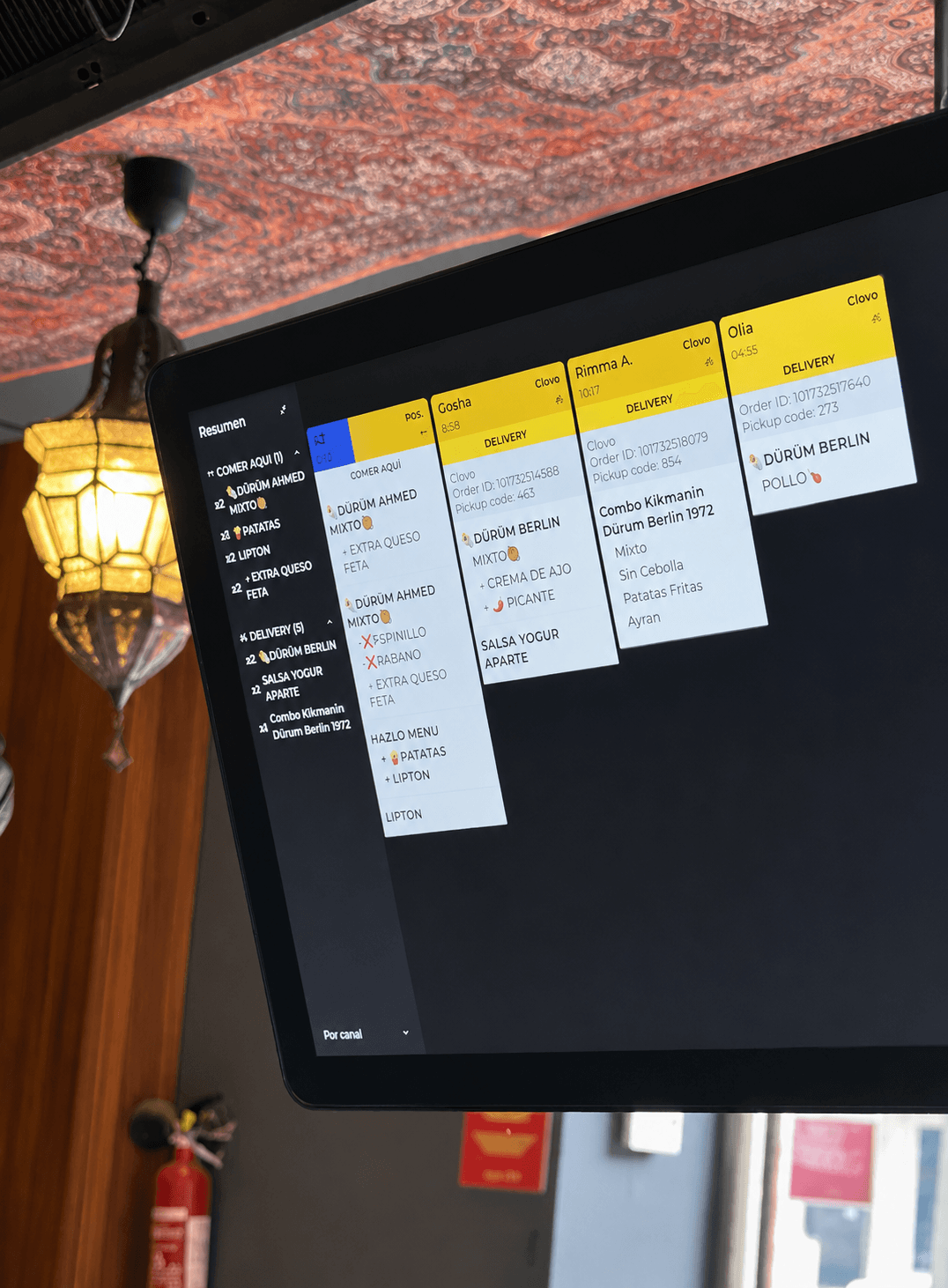
It works with the point of sale you already use, or with Register if you switch over completely.
The KDS only goes into the kitchen. Your register and card reader stay exactly as they are.
It installs on the tablet or monitor you use today. No hardware to buy.
We load your menu and your stations. You start on the next service.
Check station workload and coordinate production as volume increases.
Federico
1:00
Note: add cutlery.
Main dish
No onion
No sauce
Rice side
Extra vegetables
Hot bowl
Not spicy
Extra protein
Sauce on the side
Side
Baked potatoes
Continued
Adjust the ticket view to match how your team works.
Use color coding to instantly identify the highest-priority tickets.
What's ordered at the register or on the web reaches the pass. And what leaves the pass is already in your numbers.
We have the answers you need to move forward with confidence.
A KDS (kitchen display system) is a kitchen screen that replaces paper tickets. Orders from the counter, kiosk and web reach the pass instantly, sorted by time and by station. The team marks each dish as ready when it goes out. Nothing gets lost and nothing gets made twice.
With a printer, the ticket comes out and that's it: if it gets lost or stained, the kitchen never knows. On a KDS each ticket shows how long it has been waiting, uses colours so you can see what goes out first and disappears once it's marked ready. And every dish that goes out feeds your prep times in Analytics.
Yes. Set up one screen per station (grill, bar, cold) and each team sees only what it has to make.
Yes. Counter, kiosk and web orders reach the same pass in real time.
The hardware you already have. It runs on iPad, Android tablets and monitors. Install the app and start working.
Yes. Start with one screen and add more when the kitchen needs them.