One menu
Change a dish or a price in Platomico and it's published on Glovo, without logging in to the Manager Portal.

Glovo orders, straight to the till and the kitchen
Every Glovo order lands in Register and the KDS on its own, with its extras. The menu is published from Platomico and the order status goes back to Glovo on its own.
Get an offer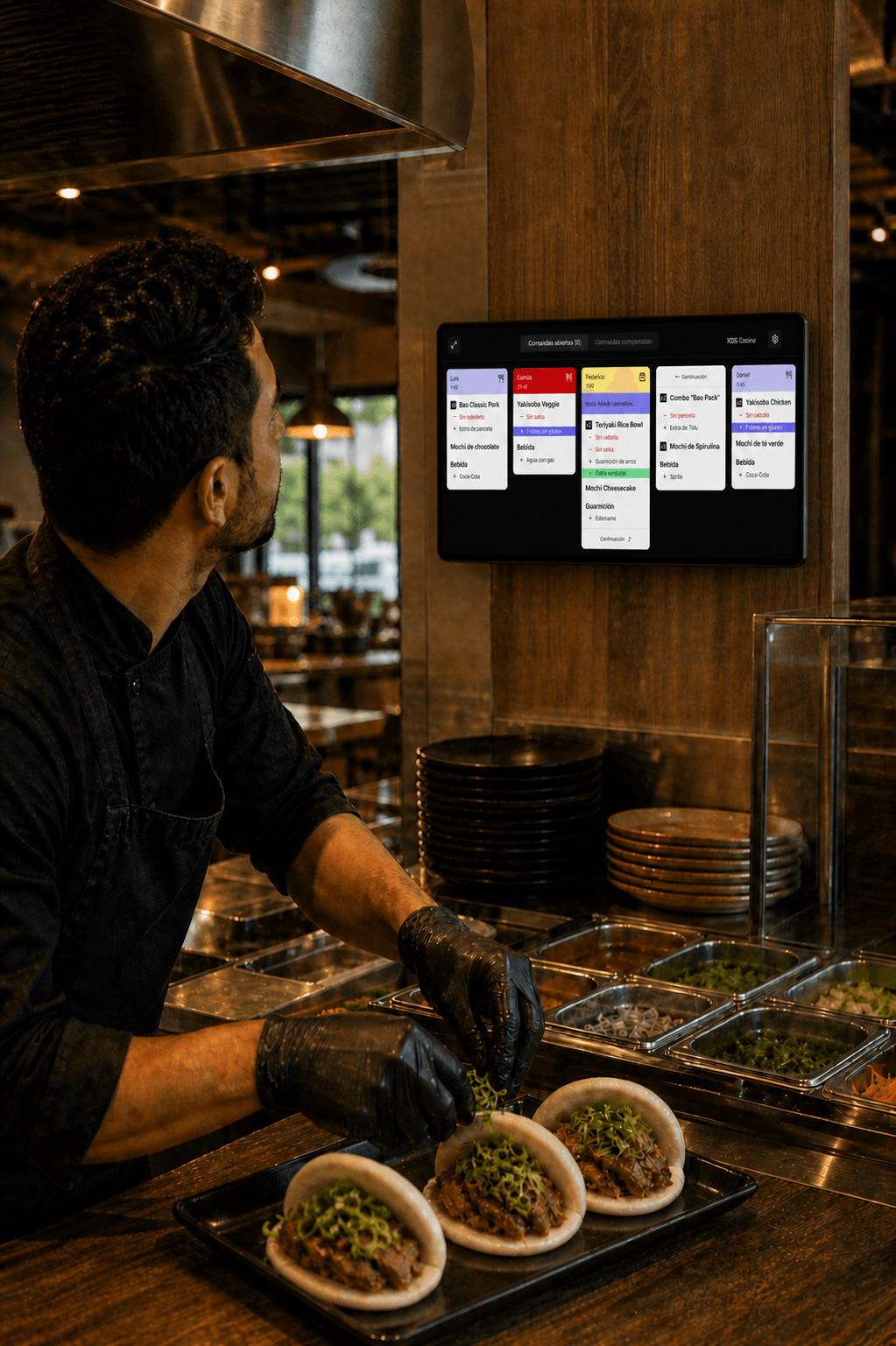
Your restaurant already sells on Glovo and you can log in to its Manager Portal. If not, sign up first: the connection works on a store that already exists.
With your store link, we request it from Glovo through Sinqro, our integration partner. We never ask for your Glovo password.
The Platomico menu is published to your Glovo store, with its dishes, extras and prices, and every order shows up at the till and in the kitchen of the restaurant it's for.
What you used to do on the Glovo tablet, you now do from the same system as the dining room.
Change a dish or a price in Platomico and it's published on Glovo, without logging in to the Manager Portal.
Pause a product from Analytics and it stops selling on Glovo and your other channels.
When the kitchen can't keep up, pause it on Glovo from Live orders: 15 min, 30 min, 1 hour, 4 hours or until closing. It reopens on its own.
Glovo keeps some tasks in GoDroid and the Manager Portal, even with an integrated POS. Keep GoDroid on an Android phone in the kitchen.
The store's regular hours are changed in the Manager Portal or in GoDroid.
Glovo's API doesn't allow it from the POS. Do it in GoDroid, with a reason, or through Glovo support.
Courier incidents, bags and chatting with Glovo stay in its app.
Glovo orders follow the same flow as your counter orders.
What to know before and after integrating Glovo.
Guide · Blog
GoDroid or integration, who activates it and what to test on day one.
Guide · Blog
How to find the fault, step by step.
Guide · Blog
What each one publishes and what you keep from a €25 order.
Guide · Blog
Menu, photos, timings and promotions that pay off.
We have the answers you need to move forward with confidence.
With the integration. Platomico connects to Glovo through Sinqro, and every order lands in the restaurant's Register and KDS on its own, without typing it in. Without an integration, the order arrives in GoDroid, Glovo's app, and someone types it into the POS.
Not to receive orders. Glovo keeps some tasks in its app: rejecting orders, regular hours, courier incidents and its support. Keep GoDroid on an Android phone in the kitchen.
Yes. From Live orders, «Pause kitchen» stops new Glovo orders for 15 min, 30 min, 1 hour, 4 hours, until closing or until the time you choose. Orders already in the kitchen carry on, and the kitchen reopens on its own at that time.
Yes. Pause the product from Analytics and it stops selling on Glovo. When it's back, reactivate it from the same place.
Yes. Each brand has its own Glovo store and menu, and their orders land on the same kitchen screen, each ticket with its brand's name and colour.
The delivery platform connection costs from €29/month with 200 orders included up to €169/month with unlimited orders. Each extra order costs €0.30 and each connection €5/month. Prices exclude VAT. What Glovo charges per order is separate.
Glovo assumes you are preparing it. So, for the first few weeks, keep GoDroid on and, at closing, compare Glovo orders in Platomico with the Manager Portal.